Anomalous Links
Region availability: Melbourne, Metropolitan Melbourne
Anomalous Links layer flags Links that have an anomalous speed and volume values. An anomaly in speed and volume may indicate unusual congestion, road closures, or incidents.
Defining anomaly flagging parameters
Before the platform shows you the anomalous links in the region, you need to set some parameters.
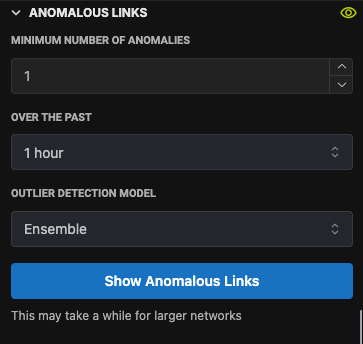
Minimum number of anomalies over a time window
The system will detect anomalies every 15 minutes for each Link. If the system detects an unusual speed and/or volume, it will flag the speed and volume at that particular time as anomalous. However, as any anomaly detection systems, false positives are bound to happen. Therefore, we can configure the Layer to only flag links with a certain number of anomalies within a time bound.
When "minimum number of anomalies" is set to 1 and "over the past" is set to 1 hour, it means that the Layer should flag links with at least 1 anomalous data point over the past 1 hour.
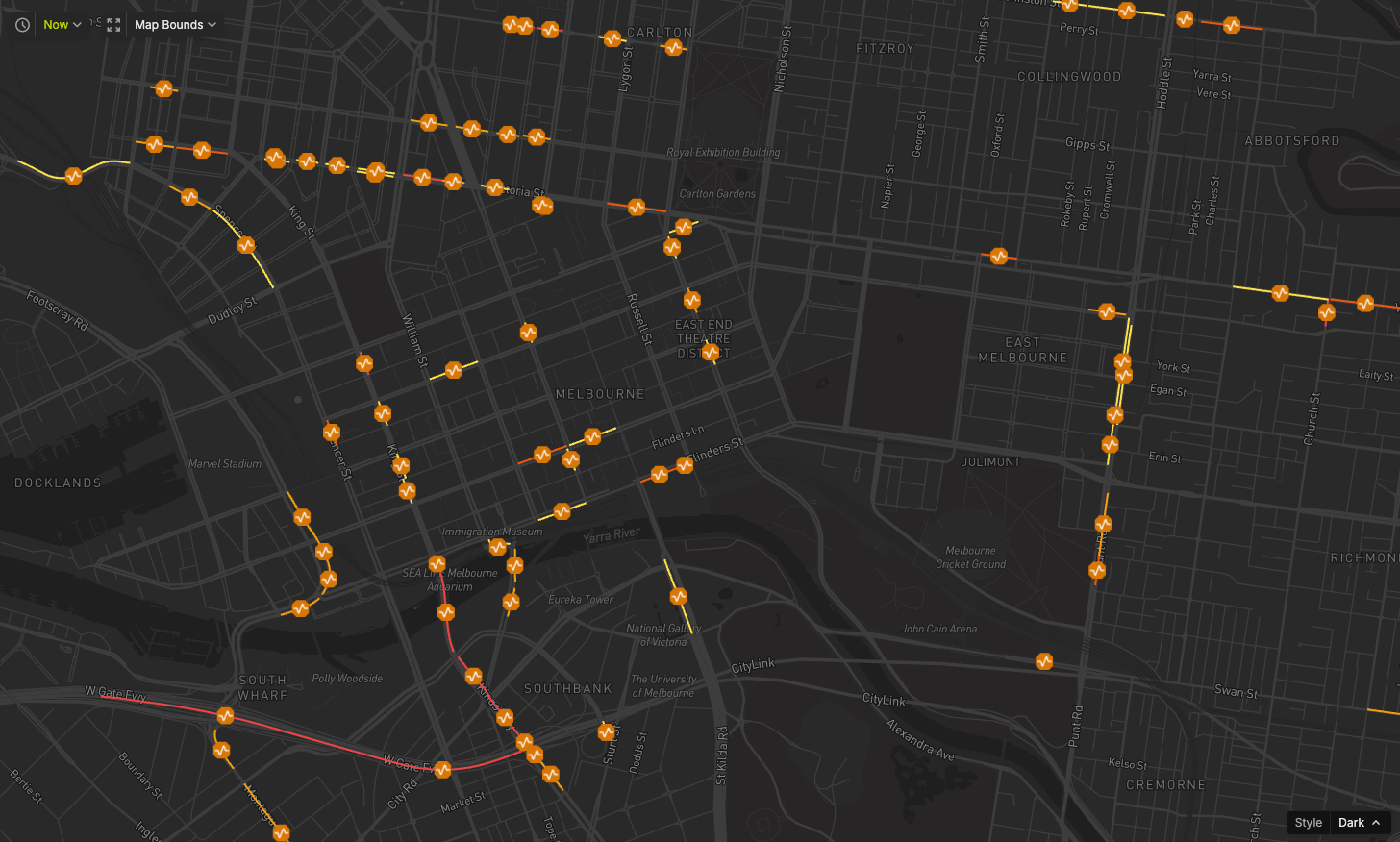
Click on the "Show Anomalous Links" button to start the query. You will see orange lines on the map, indicating Links flagged as anomalous.
Outlier detection model
Currently, we run two detection algorithms: ECOD and Isolation Forest. You can choose either:
- Ensemble: Links are flagged if more than 50% of models flag them as anomalies.
- ECOD: Links are flagged if more than 50% of the ECOD models flag them as anomalies.
- Isolation Forest: Links are flagged if more than 50% of the Isolation Forest models flag them as anomalies.