Using the Apps
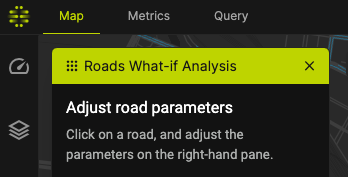
Apps are interactive feature that exclusively takes up the whole map. When an App is opened, all other widgets are disabled and the main map is cleared of any other visualisations.
The platform has several Apps you can use. More on apps here.
Opening an App
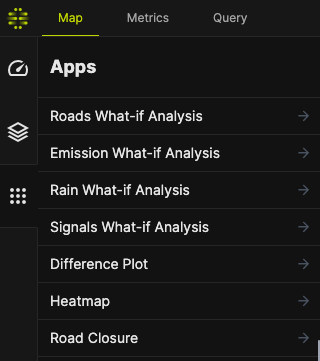
To open an App, use the Sidebar to navigate to the Apps pane. You will see a selection of Apps available to you and your selected Region.
Click on the App name to open.
Using an App
When an App is opened, all open Layers are hidden and the map is cleared for the App's exclusive use. Different App will have different operating manual. Refer to the Apps page for more information.
Closing an App
To go back to the default view, close the App by using the [✕] button on the App pane, next to the App name.